Skip to content
whitebackground
Editor
Tools ⌄
Product photo white backgroundsBulk background removalAdd white to transparent PNGTransparent product imagesSquare product photosResize product imagesRefine product photo edgesPlain white backgroundsAmazon main image editorShopify image resizerEtsy listing photo framingeBay listing photo sizeProduct photo enhancerPricing & plansQuestions & answersHow it worksSign in
How it worksFeaturesPricingFAQ
Sign inStart free
Home/Shopify image resizer

FREE SINGLE PHOTOS · NO SIGN-UP · NO WATERMARK

Shopify Image Resizer for a Consistent Storefront

Give collection tiles a shared shape and product spacing. Start with the 2048 × 2048 px preset, preview the framing, and upload the finished files to your own Shopify store.

On your device FREE

On your device. No AI processing needed.

Upload filesor paste
No photo handy?
Try a sample — always free.

Your photo stays on your device. No AI model download needed.

Quick processing keeps photos on your device. Background removal downloads an AI model only when needed (about 220 MB). Public URL imports depend on the image host allowing browser access.

SEE WHAT CHANGES

Consistent framing makes a collection easier to compare

A Shopify image resizer prepares files for you to upload. It does not connect to your admin or change a theme’s crop behavior. Test the exported image in the actual collection layout you use.

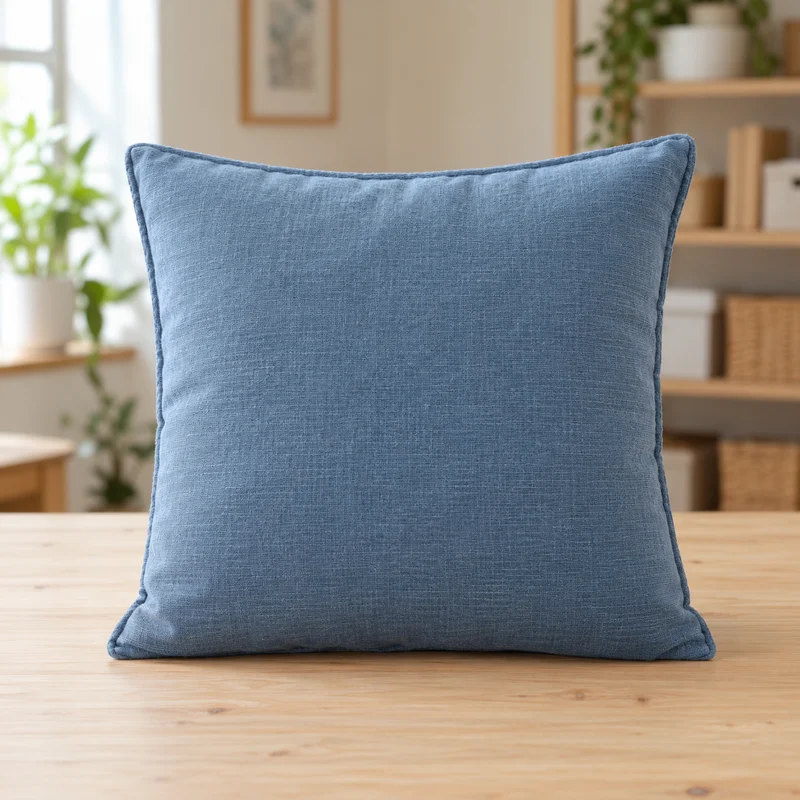
Original homewares photoBlue cotton cushion photographed on a wooden packing desk
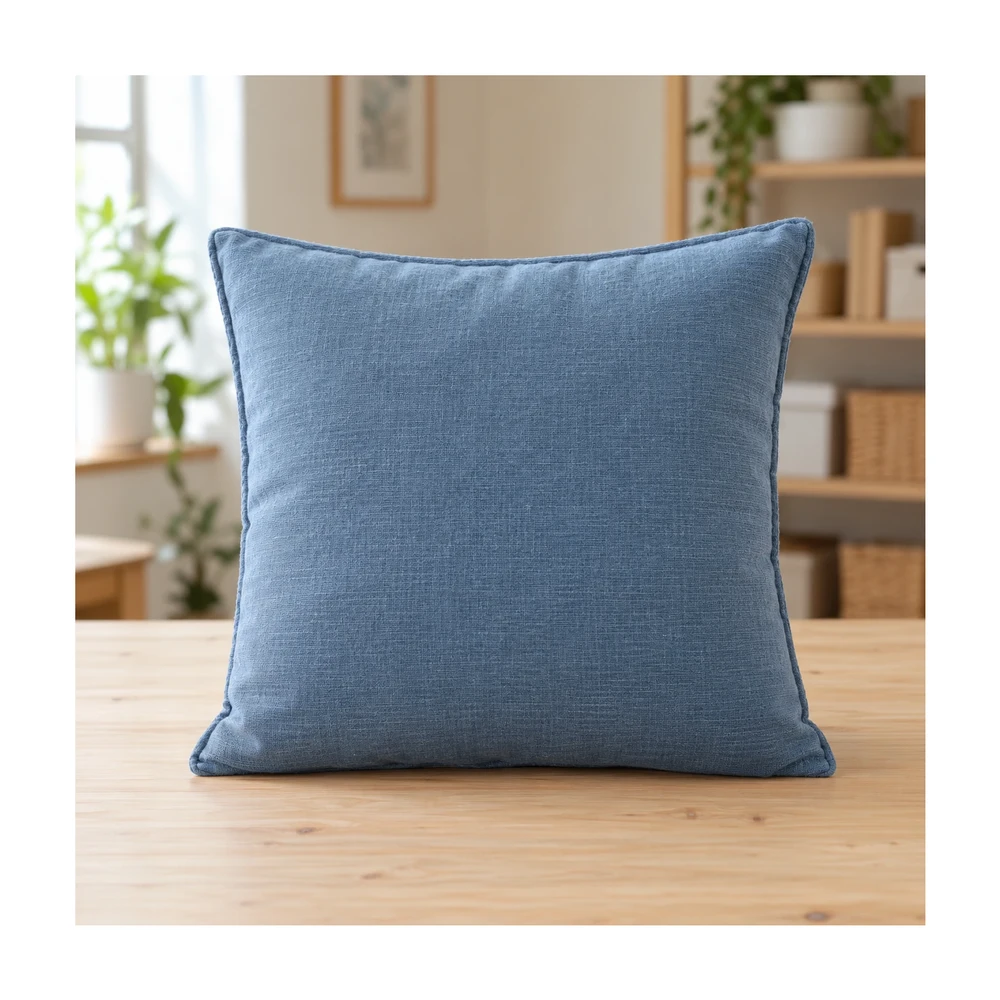
Resized with white paddingThe full cushion photograph fitted into a square canvas with consistent margin
Actual browser export with the entire original photo preserved. Enable background removal before uploading if you also want a cutout on white.

Example source photos were created for this tool. Results shown here were processed with the local browser engine; inspect your own result before using it.

MADE FOR THE WAY YOU WORK

Where shopify image resizer can help

↗

Make collection tiles feel consistent

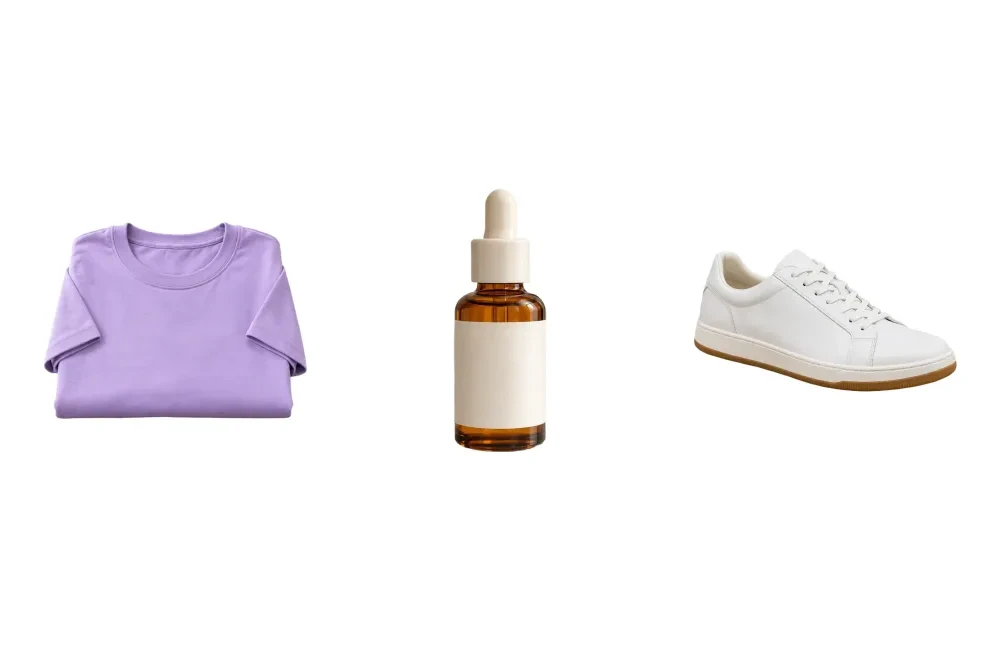
When related items use a common shape and similar spacing, a shopper can browse the grid with fewer visual jumps. Compare small thumbnails after export; matching pixel dimensions alone does not match the apparent size of each product.
↗

Move from supplier photos to your store style

Choose sources you have rights to use, remove inconsistent backgrounds and select a shared canvas. Keep original product colors and labels accurate. Background editing cannot make differently lit source photos look like the same professional shoot.

↗

Keep cutouts for banners and seasonal layouts

A square white image is useful for a product tile, while a transparent PNG can be reused in a wider design. Keep a separate transparent source when you need flexibility rather than repeatedly removing a white background.

Need a larger source first? Compare a separate 2× result with the product photo enhancer. Check labels, logos and textures before bringing the result into this editor.

Need another shape for a banner? Use the custom product image resizer for your layout.

For reusable product overlays, create transparent product PNGs for your design.

FROM INPUT TO DOWNLOAD

How to prepare your Shopify product photos

  1. 01

    Choose one representative product photo

    Start with an item that reflects the shape and source quality of the collection. The Shopify preset targets a 2048 × 2048 px square, but you can switch to Custom when your theme uses another ratio.

  2. 02

    Choose whether to keep the scene

    The full original scene is kept by default. To isolate the product, enable background removal before upload; then inspect the cutout and choose white or transparent output.

  3. 03

    Match spacing across related products

    Use the fill slider to give products a similar amount of white space. Check tall and wide outliers separately. The no-upscaling rule means small originals may export below the selected target dimensions.

  4. 04

    Upload and inspect your own storefront

    Download the file, add it to the appropriate product in Shopify and preview the theme on desktop and mobile. Confirm that its crop and image-display settings keep the product visible before replacing a complete collection.

BEFORE YOU DOWNLOAD

A result you can check yourself

  • ✓The image ratio suits the actual theme layout.
  • ✓Products have similar perceived spacing, not only matching file dimensions.
  • ✓The source is large enough for the intended display.
  • ✓The uploaded image has been checked in desktop and mobile storefront previews.

Listing rules can change. Shopify’s product-media guidance ↗

Try the tool above ↑

A FEW USEFUL ANSWERS

Shopify image resizer FAQ

What size does this Shopify image resizer start with?

The Shopify preset targets a 2048 × 2048 px square. That is an editor starting point, not a rule for every theme. Use Custom for a different layout, and check the actual exported dimensions.

Will this update my Shopify store automatically?

No. The tool downloads an image file to your device. You choose where to upload it in Shopify and review the theme preview. No store-account integration or automatic product replacement is performed.

Can I use transparent product images in my design?

Yes. Choose transparent output and download PNG. Test how the file appears against the background used by your theme. Keep a white version separately when a marketplace or another placement needs an opaque backdrop.

Why do equal-size product images still look uneven?

Their product shapes, camera angles and spacing can differ. Adjust subject fill and compare thumbnails. Shared canvas dimensions do not make a small earring and a large cushion equivalent in real-world or perceived scale.

Does the editor optimize files to a target KB?

No. It controls pixel dimensions, background and framing, with JPG or PNG export. Inspect the downloaded file size and use the appropriate image-delivery settings in your store when you need additional optimization.

Can I prepare a full collection with matching settings?

Pro supports a local batch queue of up to 100 photos and ZIP download. Test one image free, then review the smallest and most unusually shaped products before applying a common setting to the collection.

THE NEXT PART OF YOUR WORKFLOW

Explore other tools

Choose the task you need next. Each tool opens with its own settings and examples.

Bulk background removal

Remove backgrounds from up to 100 product photos with Pro. Apply shared framing, review each result and download a ZIP. Try a single photo free.

Open tool ↗

Square product photos

Make an image square with white padding around the product. Keep handles and edges in frame, adjust the product fill and download a JPG or PNG free.

Open tool ↗

Resize product images

Resize product images to custom dimensions with white padding. Preview framing, keep the product proportionate and download a JPG or PNG in your browser.

Open tool ↗

Transparent product images

Make a transparent background for product photos online. Remove the backdrop, inspect edges and download a transparent PNG free, with no watermark.

Open tool ↗

Product photo white backgrounds

Make a white background for product photos online. Remove a busy backdrop, check product details and download a JPG or PNG free, without a watermark.

Open tool ↗

Add white to transparent PNG

Add a white background to a transparent PNG in your browser. Keep its existing cutout, choose the framing and download a white JPG or PNG for free.

Open tool ↗

Need the whole workflow? Read how to make a photo background white.

READY WHEN YOU ARE

Prepare my Shopify product photos

One photo, a clearer result. Free with Quick processing, with no sign-up or watermark.

Resize my Shopify photo — free ↑

WE'RE HERE TO HELP

Need help with
a product photo?

Questions about an edit, a plan or a download? Get in touch.

Send us a message

Tell us what you were trying to make.

support@whitebackground.app ↗Contact & support
whitebackground

A little less background.
A lot more focus on your photo.

support@whitebackground.app

MAKE SOMETHING CLEARMake background whiteProduct photo enhancerProduct photo white backgroundsBulk background removalAdd white to transparent PNGTransparent product imagesSquare product photosResize product imagesRefine product photo edgesPlain white backgroundsAmazon main image editorShopify image resizerEtsy listing photo framingeBay listing photo sizePricing
THE DETAILSAboutContactPrivacy policyTerms of serviceRefund policyDisclaimerLicenses & acknowledgments

© 2026 WhiteBackground.app

WhiteBackground.app is an independent tool and is not affiliated with Amazon, Walmart, Shopify, Etsy or eBay.